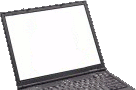
This is a user submitted page about the ins and outs of the Toshiba Satellite U840W. Here users can provide details about their experiences with this laptop and to provide helpful tips to others. Also available is the discussion section below which can be used to ask questions about the Toshiba Satellite U840W.
If you would like to edit this page please first view our Editing Guidelines.
For full specifications see the Toshiba Satellite U840W specifications page.
| Name | Toshiba Satellite U840W |
| Processor | Intel Core i5-3317U |
| Screen | 14.4-inch 21:9 Cinematic ultra-widescreen display |
| RAM | 6 GB |
| HDD | 500GB |
| Optical Drive | No |
| Graphics | Intel HD Graphics 4000 |
| Network | 802.11 abg/n (up to 1000Mbps) |
At this stage no one has submitted any notes about the Toshiba Satellite U840W. If you have any interesting information about this laptop to share please feel free to edit this page and submit what you have.
Discussion
The U840W has a 32GIG SSD which is used to cache the HDD.
No BIOS controll of the SSD/HDD setup.
The one I purchased came with Win 7.
I attempted to install Linux Mint 14 alongside Win 7.
I note the following issues:
1. The Realtek wireless chip is not supported. Requires a download/install.
2. The Linux “ubiquity” installer does not see the SSD/HDD setup. Necessary to change the SSD/HDD setup via the “dmraid” program. You then have two discs SSD + HDD rather than a raid arrangement. Or you do a lot of complex (for me) setup to use raid.
3. On bootload the login screen is barely readable. Login, close the lid, open the lid and the screen is OK.
Otherwise the U840W appears to be a nice piece of work. The wide screen is excellent and very easy to use in a development environment.