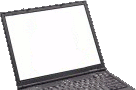
This is a user submitted page about the ins and outs of the HP ProBook 4520s. Here users can provide details about their experiences with this laptop and to provide helpful tips to others. Also available is the discussion section below which can be used to ask questions about the HP ProBook 4520s.
If you would like to edit this page please first view our Editing Guidelines.
For full specifications see the HP ProBook 4520s specifications page.
| Name | HP ProBook 4520s |
| Processor | Intel® Core™ i7-620M Processor Intel® Core™ i5-520M Processor Intel® Core™ i5-430M Processor Intel® Core™ i3-350M Processor Intel® Core™ i3-330M Processor |
| Screen | 15.6” (1366×768) Widescreen |
| RAM | Up to 8GB |
| HDD | 250GB to 500GB |
| Optical Drive | DVD+-RW Blu-ray |
| Graphics | Intel HD Graphics ATI Mobility Radeon HD 4350 |
| Network | 10/100/1000 Ethernet Atheros 802.11b/g/n Intel Centrino 802.11a/b/g/n |
At this stage no one has submitted any notes about the HP ProBook 4520s. If you have any interesting information about this laptop to share please feel free to edit this page and submit what you have.
Discussion
Keyboard/Touchpad/Screen lock
This notebook may rarely suffer this weird problem, as well as some other Probook models. It happened to me today second time in a 1,5 years of quite frequent use. It is possible to find this solution elsewhere, but I thought it should as well be here, because when googling for it, I found this page sooner.
Symptoms: Notebook starts (fan is working, hard drive activity LED is blinking), but display is black, it does not react to any key combination or touchpad, only long press of Power button can switch it off. But don't panic, the device is not bricked. You may find, that with external monitor, mouse and keyboard it otherwise works fine (you should use external keyboard to switch the notebook off, or remotely over network, rather than using the power button). This is not OS/driver related problem, the affected parts are not working from the first phases of startup.
Solution:
That's it. After inserting the battery it will work as usual again.
hp probook 4520s is it fit for internet businss? I mean good for internet business?