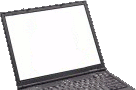
This is a user submitted page about the ins and outs of the Acer Aspire E1-571. Here users can provide details about their experiences with this laptop and to provide helpful tips to others. Also available is the discussion section below which can be used to ask questions about the Acer Aspire E1-571.
If you would like to edit this page please first view our Editing Guidelines.
For full specifications see the Acer Aspire E1-571 specifications page.
| Name | Acer Aspire E1-571 |
| Processor | Intel Core i5-3210M processor (3 MB L3 cache, 2.50 GHz with Turbo Boost up to 3.10 GHz) Intel Core i5-2450M processor (3 MB L3 cache, 2.50 GHz with Turbo Boost up to 3.10 GHz) Intel Core i3-3110M processor (3 MB L3 cache, 2.30 GHz, DDR3 1600 MHz) Intel Core i3-2310M/i3-2350M/i3-2370M processor (3 MB L3 cache, 2.10/2.30/2.40 GHz) |
| Screen | 15.6” HD 1366 x 768 resolution, high-brightness (200-nit) Acer CineCrystal LED-backlit TFT LCD |
| RAM | Up to 8 GB |
| HDD | 320/500/640/750 GB or larger hard disk drive(depending on the model) |
| Optical Drive | 8X DVD-Super Multi double-layer drive |
| Graphics | Intel HD Graphics 4000 Intel HD Graphics 3000 |
| Network | RJ-45 port,Gigabit Ethernet Acer InviLink Nplify 802.11b/g/n |
At this stage no one has submitted any notes about the Acer Aspire E1-571. If you have any interesting information about this laptop to share please feel free to edit this page and submit what you have.
Discussion
hey…i cant change the brightness of screen…can any one tell me why???plzzzzzzzzz..
Purchased April 2013, i3-3110M
Irrespective of UEFI boot mode, will not boot Mint 14.1 in either USB stick or DVD. Mint4lin completes the first part of the installation but the computer will not boot except into Windows 8, even though the windows OS selection appears. The window uninstall removes the OS selection as expected.
In BIOS mode, boots and installs from DVD. Used W8 to shrink its partition before installing and manually created new swap, /, home, and grub-boot partitions.
However, this means that dual booting W8 and Mint requires changing through the F2/bios approach… not that I'd want to.
Screen and wireless network detected correctly out of the box. Ok reading external USB hard drive.